- Goto (Support Module) Account -> Setup -> Case -> Setup Dropdown Menu Option -> Case Status
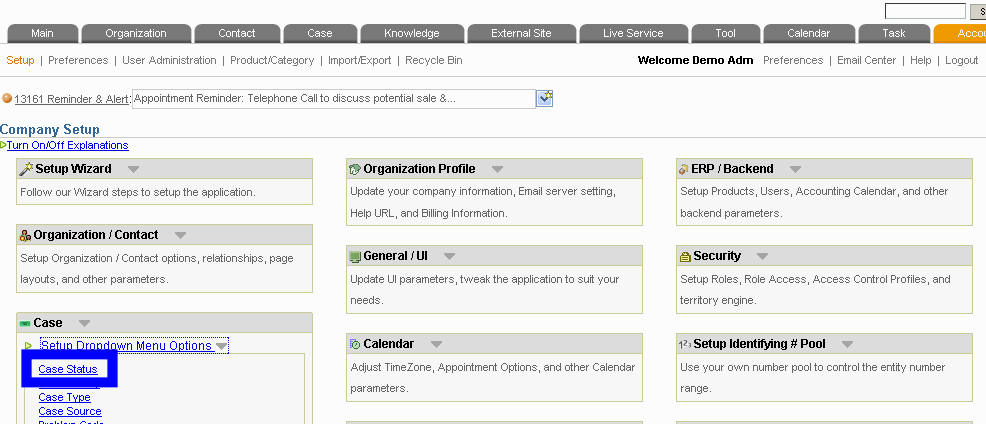
- For each of the case status that you want to color code, click on the [Edit] link in the "Advanced" column. All status that you skipped will not be rendered in color.
- If you are good with HTML's color coding system, you can directly put in a HEX color code. Otherwise, click on the white square next to the color input box. In the color chooser popup, pick a color.
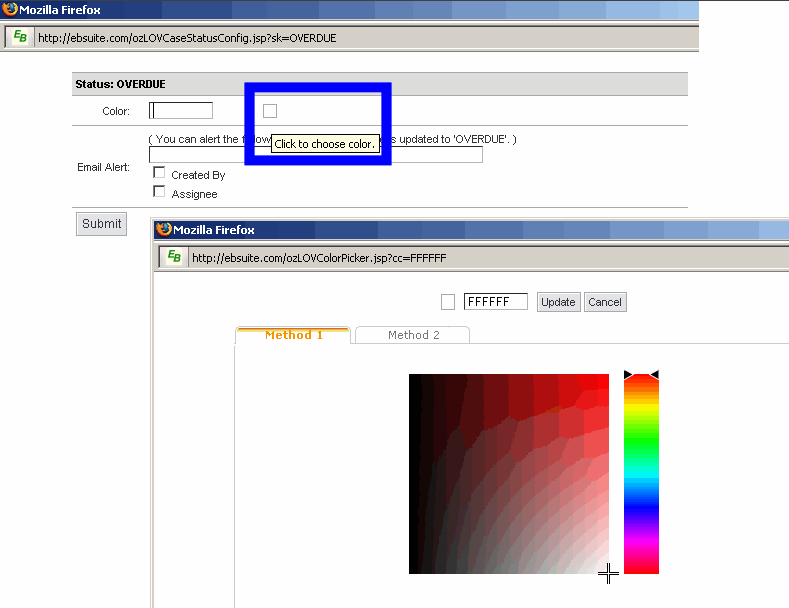
- Submit the form. Now if you navigate to your case summary screen, or mouseover a case to see its snapshot, you can see the case status being color-coded by the color you just picked.
|


